
Menus with options
Buttons by category, with options like cook temperature, sides and add-ons, each with its own price.
Menu buttons with options, orders sent to the kitchen, tips and a clean close. On the tablets you already have, and it keeps selling when the internet drops.
Buttons by category, with options like cook temperature, sides and add-ons, each with its own price.
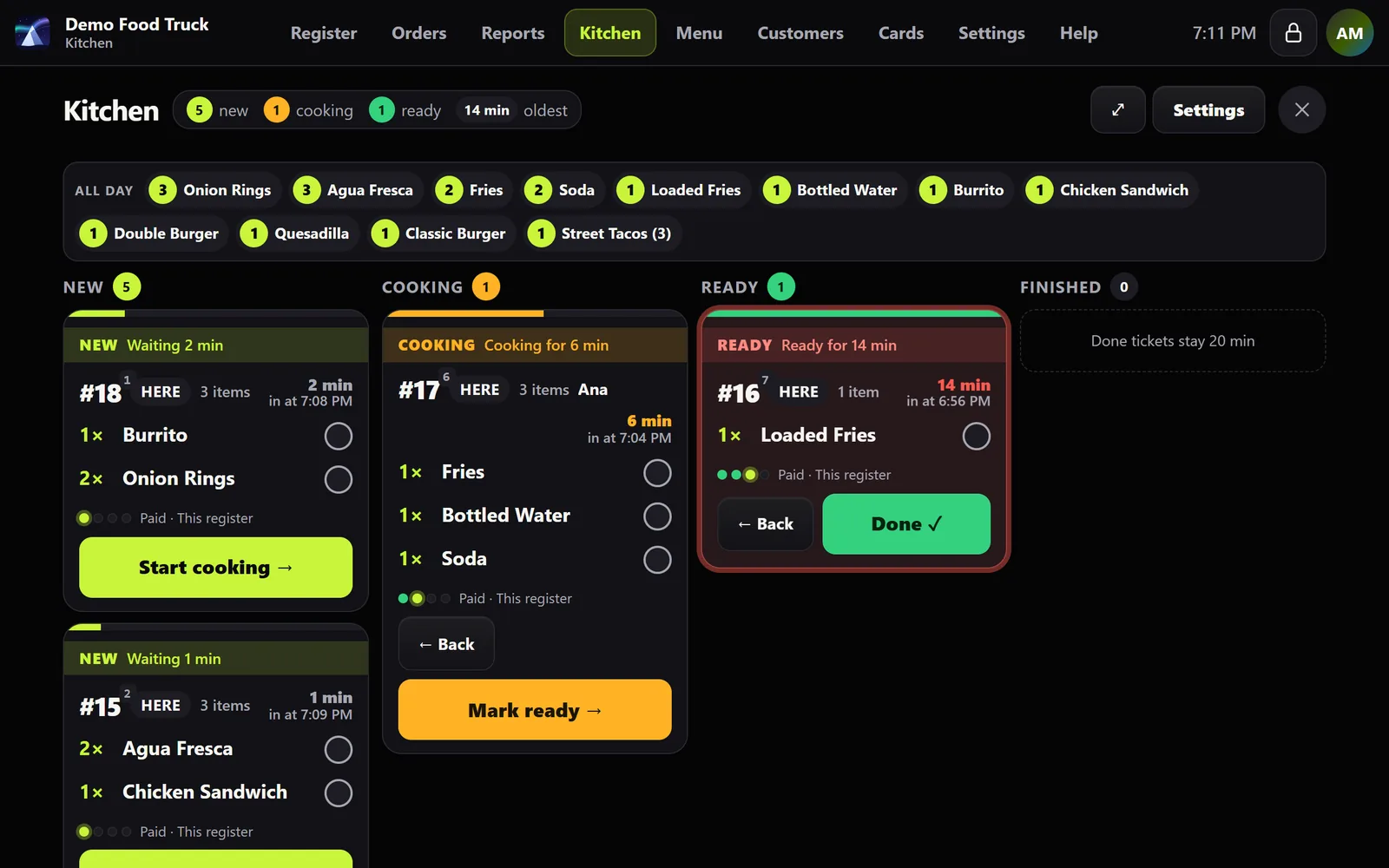
Orders reach the kitchen screen when they're paid, or when you tap Send to kitchen. Tickets turn amber, then red, as they wait.
Name an order for a guest or a table, keep adding to it, and take payment at the end. Here or to go on every order.
Tip buttons at checkout, and pay part in cash and the rest by card.
Worked out from your ingredients, with calories on the menu buttons and the nine major allergens.
Sales, tax, tips and sales by staff at closing, with a card batch check and drawer counts.
No technician, no installs. If you can scan a QR code, you can set up a register.
A three-minute form. We set up your account and your local sales tax.
Point the tablet or phone at your pairing code. It becomes a register.
Pick your owner PIN and ring up your first sale. Add more registers the same way.
Tell us about your business and we'll send your price the same day.